
Bring your spreadsheet with you
Been tracking your net worth in Excel or Google Sheets? Bring your history into Whole. Plus PDF reports to share.
Lots of people track their net worth in a spreadsheet before they find an app. Starting over means losing years of history, but with Whole you don’t have to: it can import CSV and Excel files, laid out in the ways people most often build them.
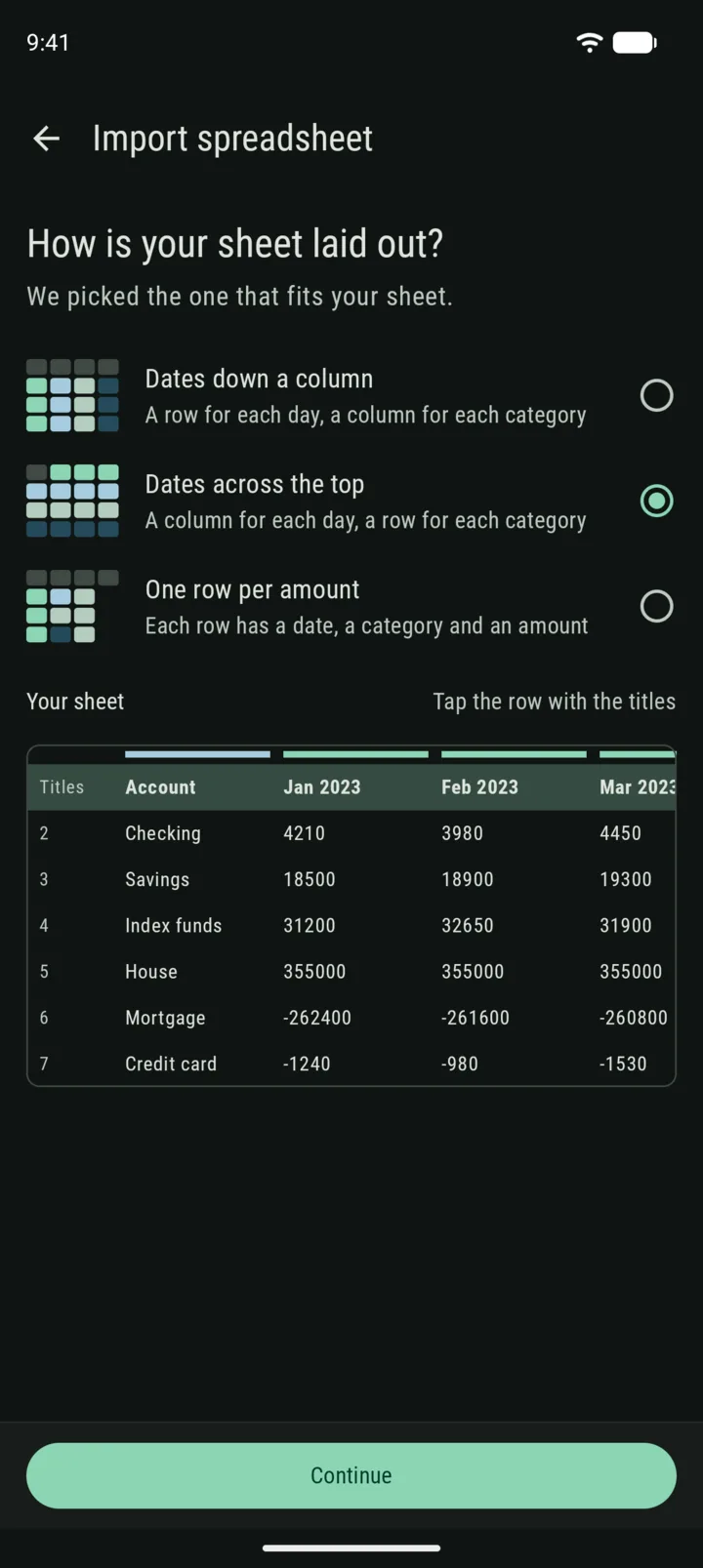
Three common layouts
Everyone builds their spreadsheet a little differently, so Whole asks instead of guessing wrong. It reads three layouts: dates down a column, dates across the top, or one row per amount. Tell it which one is yours, and what’s in each column.
Then match your columns to categories in Whole, or create new ones on the spot.
See it before it happens
Before anything changes, you get a preview of a few days and a summary of what will be added. After the import, you can undo it in one tap. Whole also saves a restore point first, just in case.
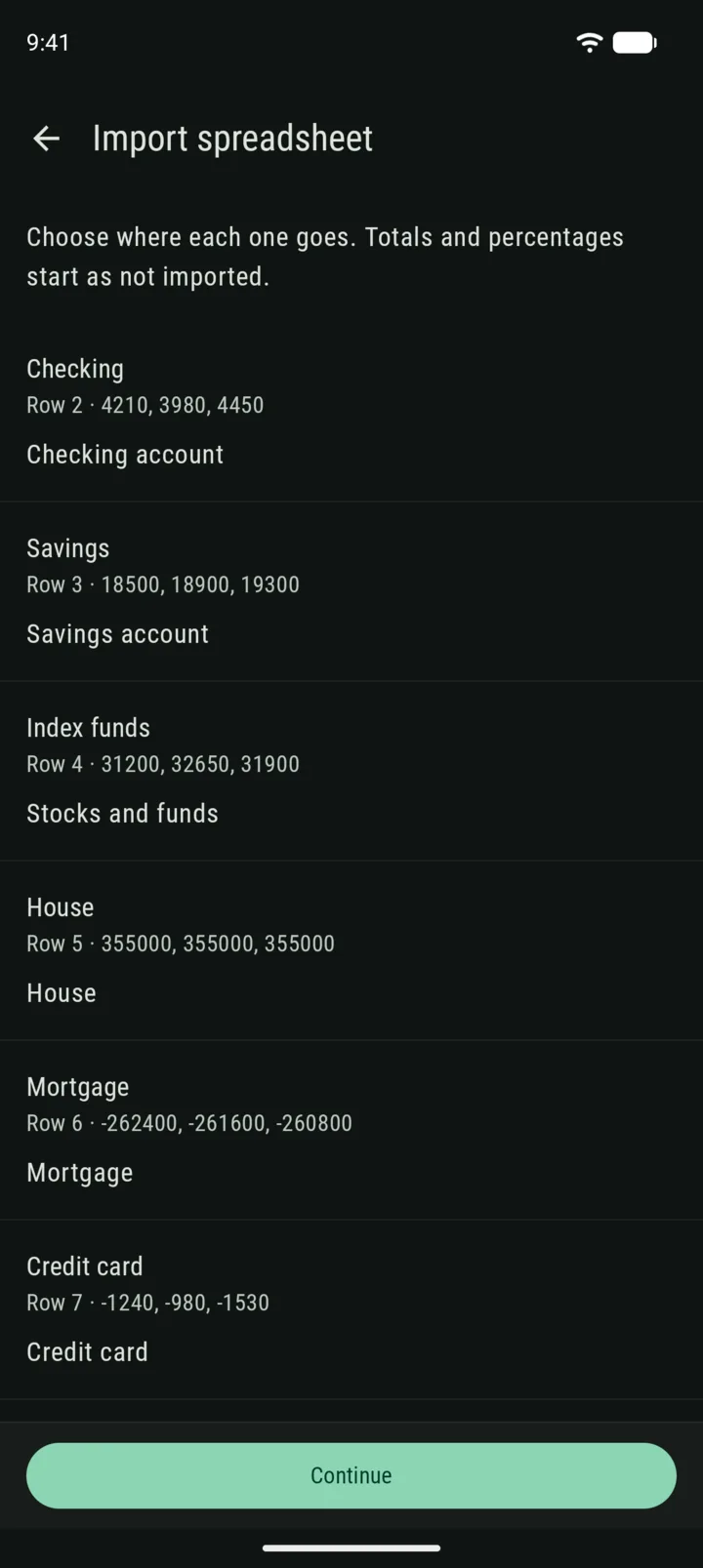
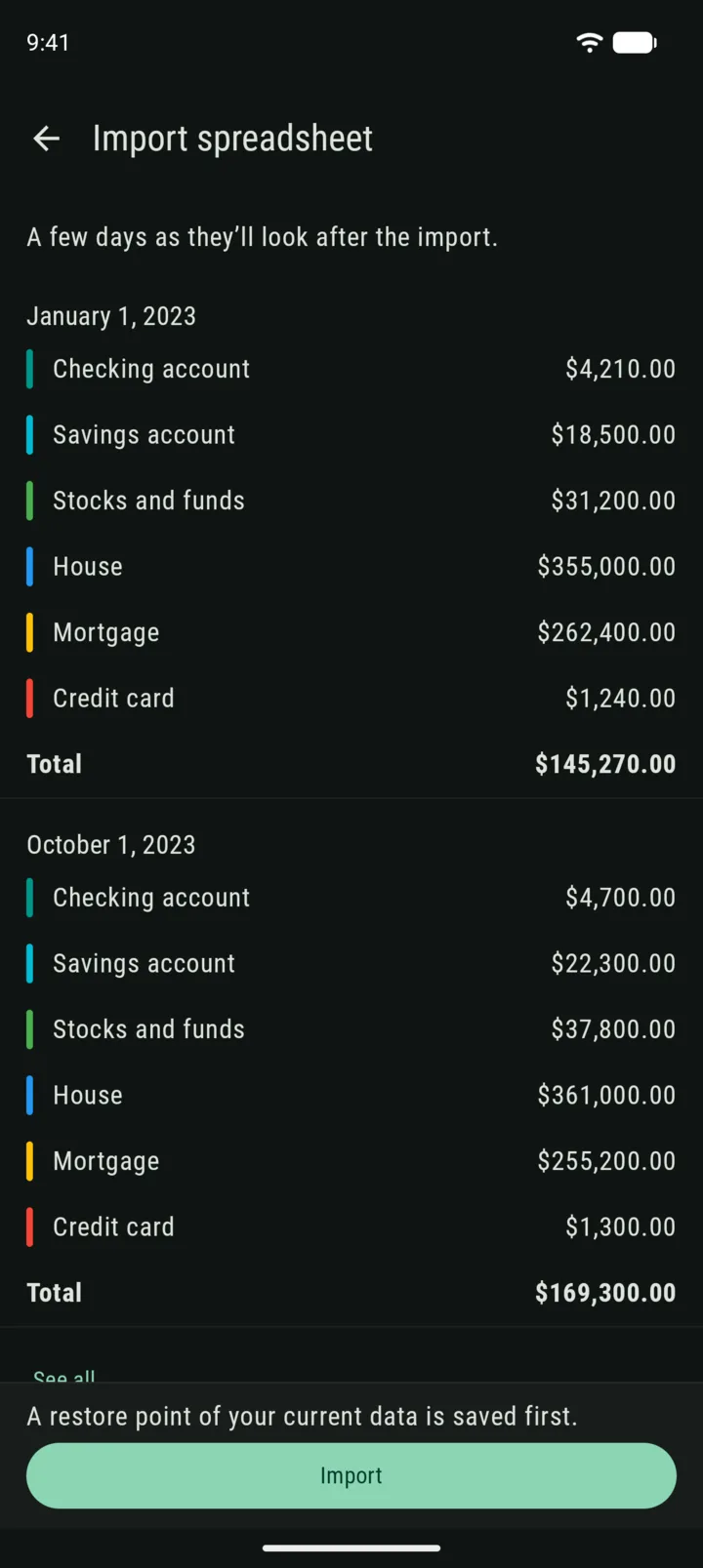
Import is in Premium, under More > Export > Import CSV or Excel. It’s in beta, so if you run into any issue, just let me know.
And a report to share
A new type of export made its way into the app: tap the PDF icon in Charts to share a report of the period you’re looking at. It has your net worth and how it changed, your assets and liabilities, your groups and your biggest movers.
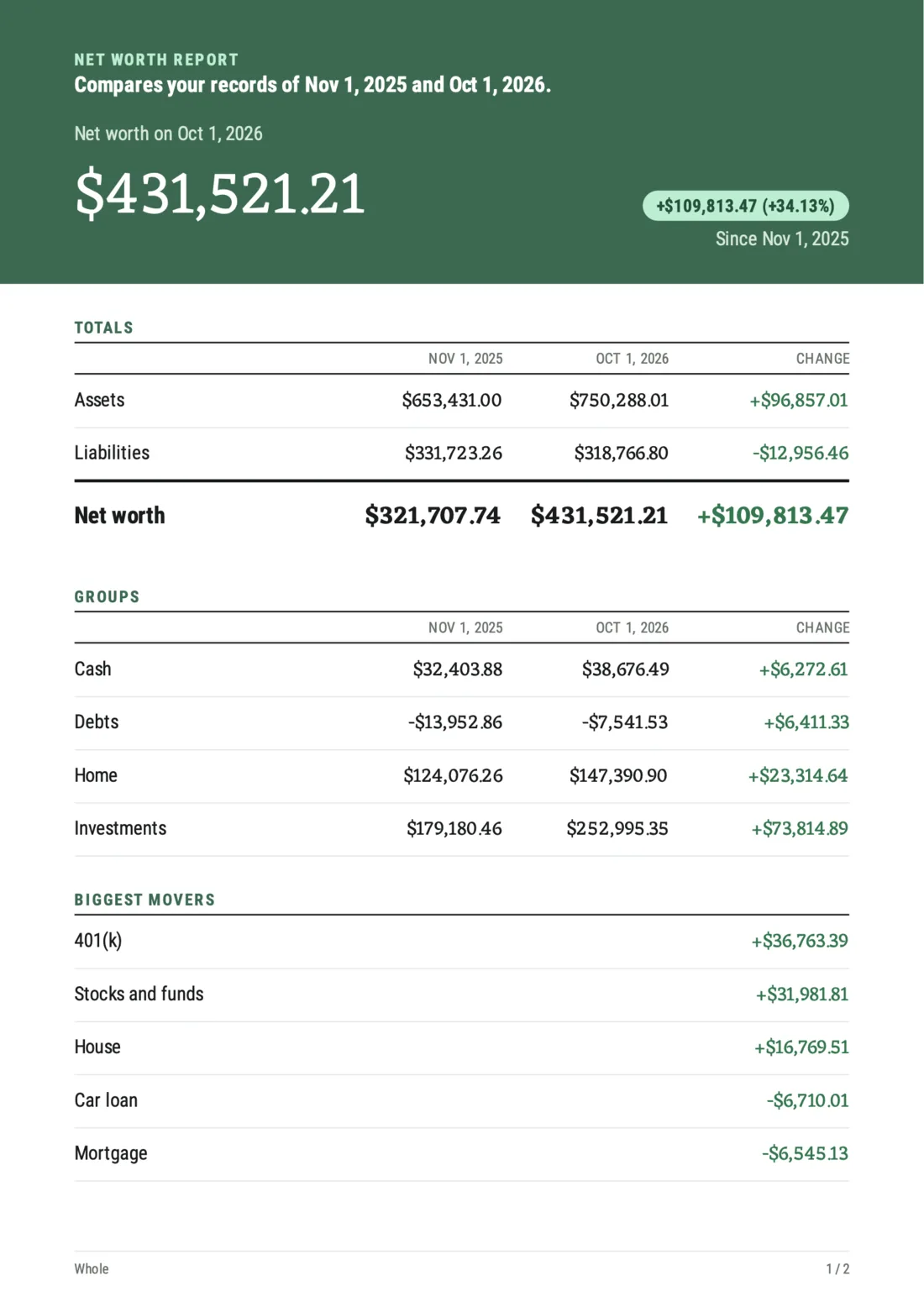
And don’t forget you could already export a specific record through the record details screen!
— Gianmarco