
Your accounts, in their own currencies
A savings account in dollars, a pension in pounds? With Premium, each category can have its own currency, and Whole converts it into yours with daily exchange rates.
Not everything you own is in the same currency. Maybe you have savings abroad, a pension from a job in another country, or a brokerage account in dollars. Until now, Whole made you convert those amounts yourself. From version 2.7, it does it for you.
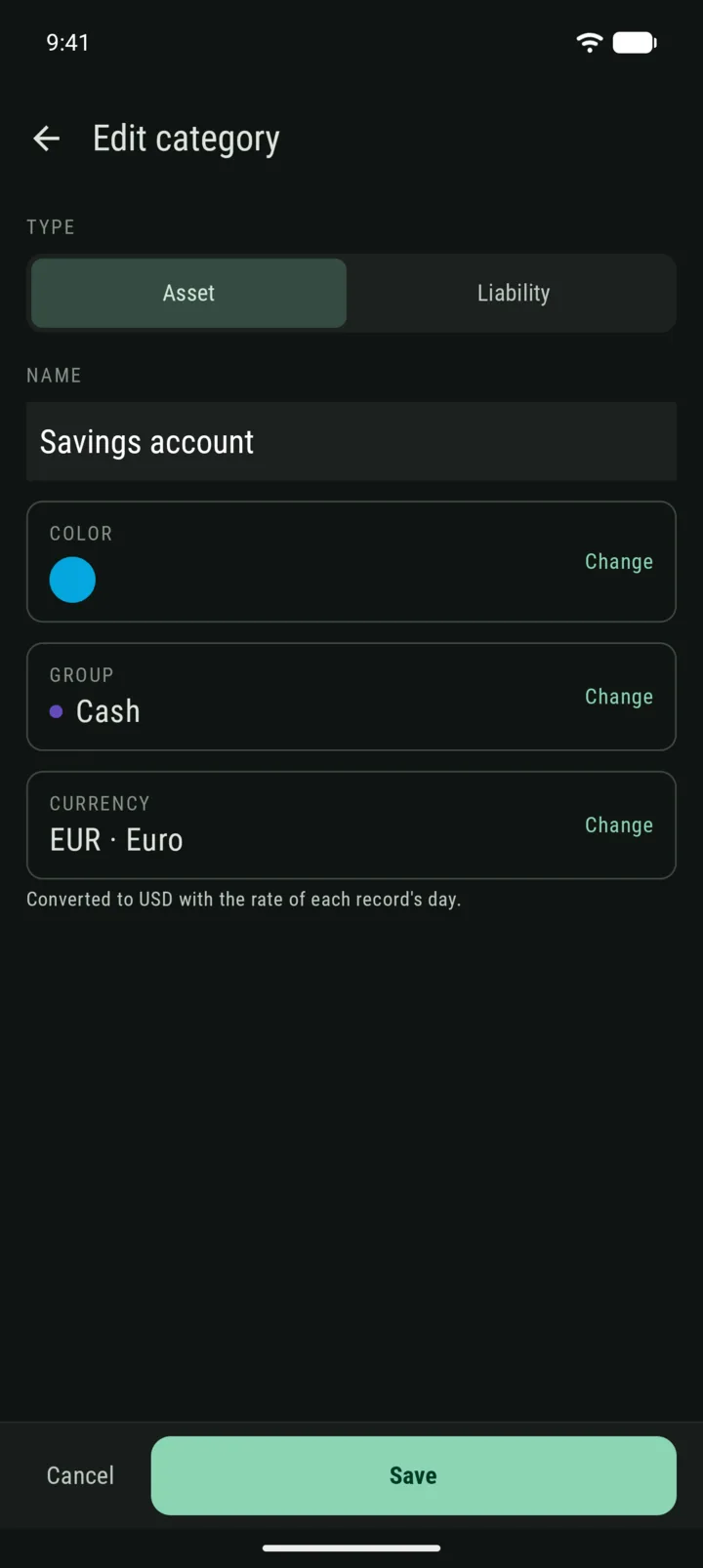
A currency per category
With Premium, open a category, tap Currency, and pick the one its amounts are in. You keep entering the amounts you see on your statement, and Whole adds them to your totals in your main currency.
Converted on the right day
Each record is converted with the exchange rate of its own day. So your history shows what your net worth was worth back then, not what it would be at today’s rate.
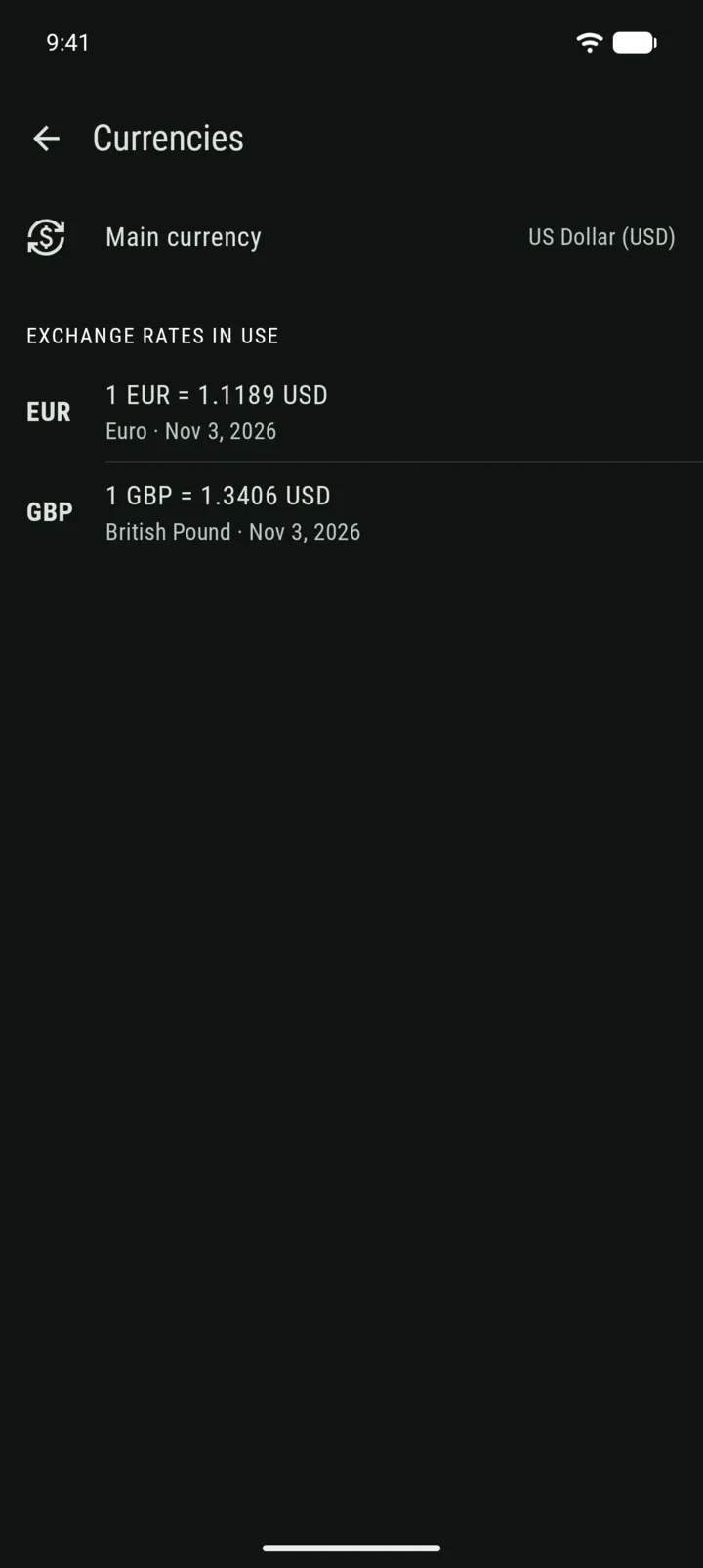
The rates are daily reference rates, based on central bank data. They can differ a little from your bank’s rate, which is fine for seeing where you stand, but not for planning a transfer. The Currencies screen shows which rates are in use.
When you move
With Premium, if you change your main currency, Whole asks what your existing amounts are in. If they’re still in the old currency, they keep it and convert. If you’ve already rewritten them in the new one, they just change label.
— Gianmarco